 For iPhone, iPad & Apple TV
Remember Allah often, gently, all day.
Al Zakirin brings the dhikr of the moment to you through your own day: reminders that fit your hours, Hisn al-Muslim with recitations, a tasbih, widgets, and a calm ambient mode for your TV.
Why the name Al Zakirin
اِنَّ الْمُسْلِمِیْنَ وَالْمُسْلِمٰتِ وَالْمُؤْمِنِیْنَ وَالْمُؤْمِنٰتِ وَالْقٰنِتِیْنَ وَالْقٰنِتٰتِ وَالصّٰدِقِیْنَ وَالصّٰدِقٰتِ وَالصّٰبِرِیْنَ وَالصّٰبِرٰتِ وَالْخٰشِعِیْنَ وَالْخٰشِعٰتِ وَالْمُتَصَدِّقِیْنَ وَالْمُتَصَدِّقٰتِ وَالصَّآىِٕمِیْنَ وَالصّٰٓىِٕمٰتِ وَالْحٰفِظِیْنَ فُرُوْجَهُمْ وَالْحٰفِظٰتِ وَالذّٰكِرِیْنَ اللّٰهَ كَثِیْرًا وَّالذّٰكِرٰتِ ۙ اَعَدَّ اللّٰهُ لَهُمْ مَّغْفِرَةً وَّاَجْرًا عَظِیْمًا
“… and the men who remember Allah often and the women who do so — for them Allah has prepared forgiveness and a great reward.”
Surat Al-Ahzab 33:35. Al Zakirin (الذاكرين) means “those who remember”.
Everything for your daily dhikr, in one quiet place.
No feeds, no streaks, no noise. Just the words you want to remember, at the moments you choose.
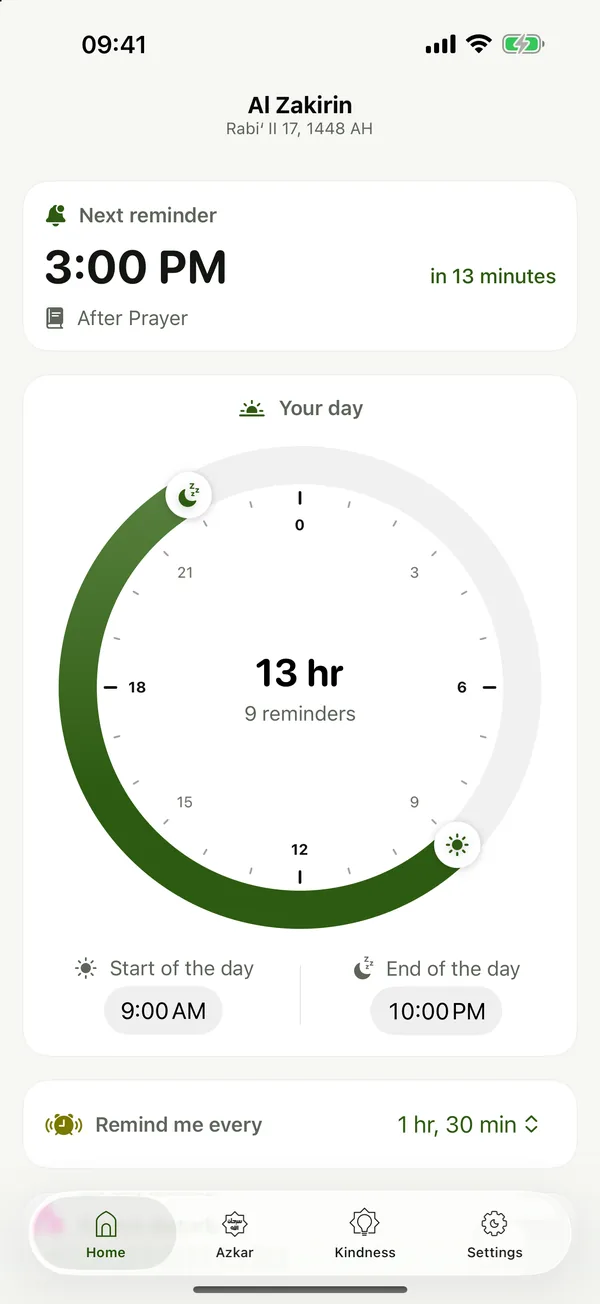
Reminders that fit your day
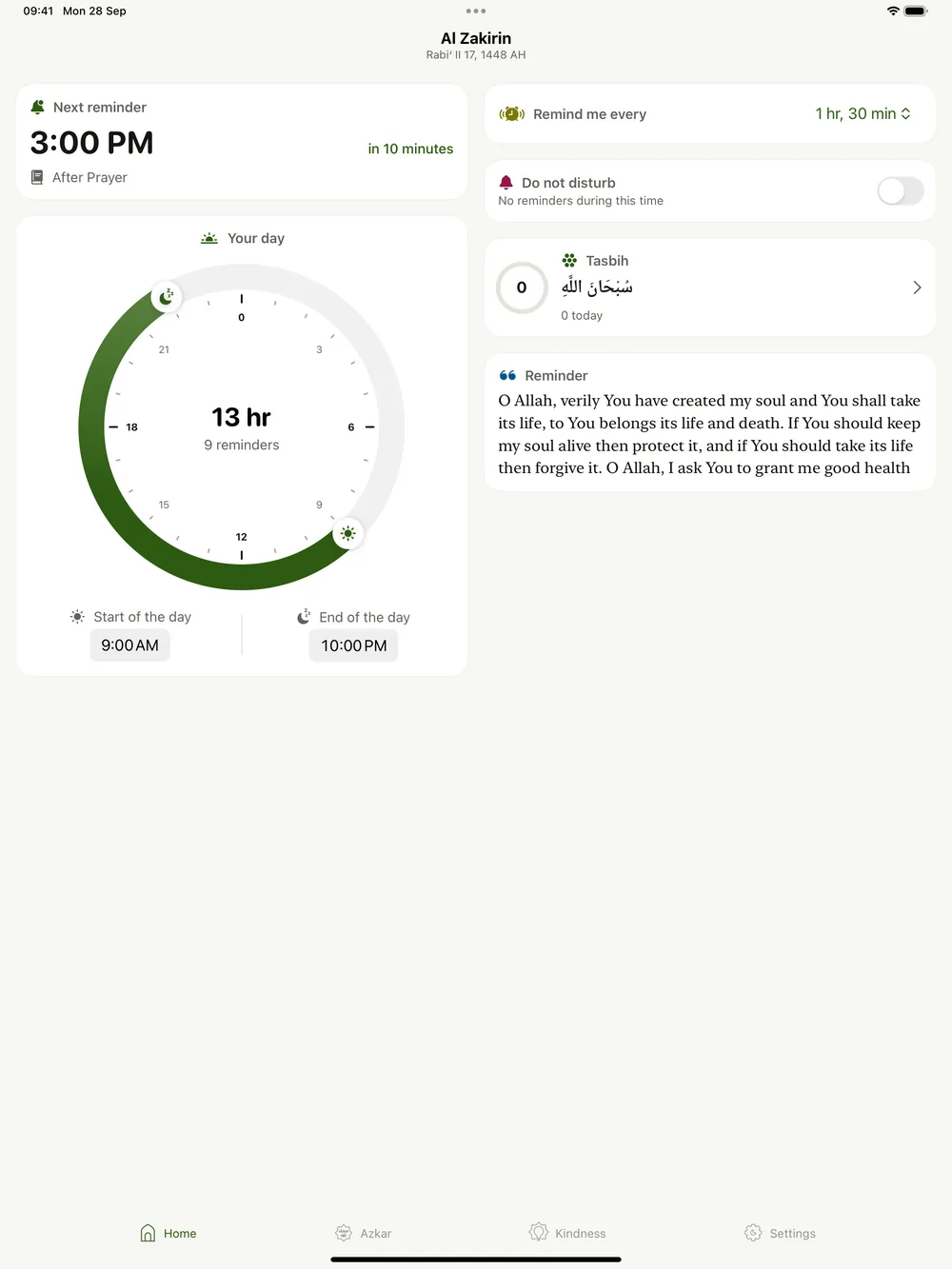
Set when your day starts and ends on a 24-hour dial, choose how often to be reminded, and add a quiet time. Each reminder carries a dhikr suited to the hour, from waking up to before sleep, with a recitation.
- A day dial that works across midnight, for night shifts too
- Do Not Disturb silences a whole window, not just one time
- See your next reminder and the Hijri date at a glance
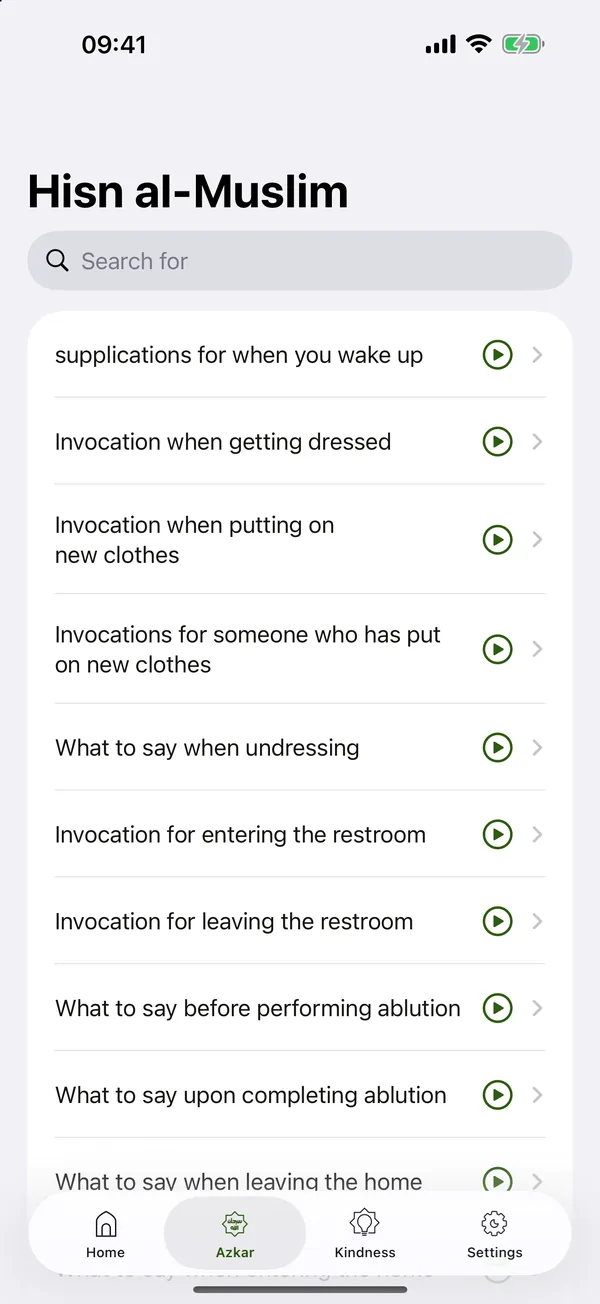
The Fortress of the Muslim, with audio
Browse every chapter of Hisn al-Muslim, search, and keep your favorites at the top. Read one dhikr at a time with a counter for its repetitions, and listen to the recitation.
- Paged reader that follows your reading direction
- Repetition counter with gentle haptics
- Transliteration in English, share, and reading progress
- Chapters are kept for offline reading
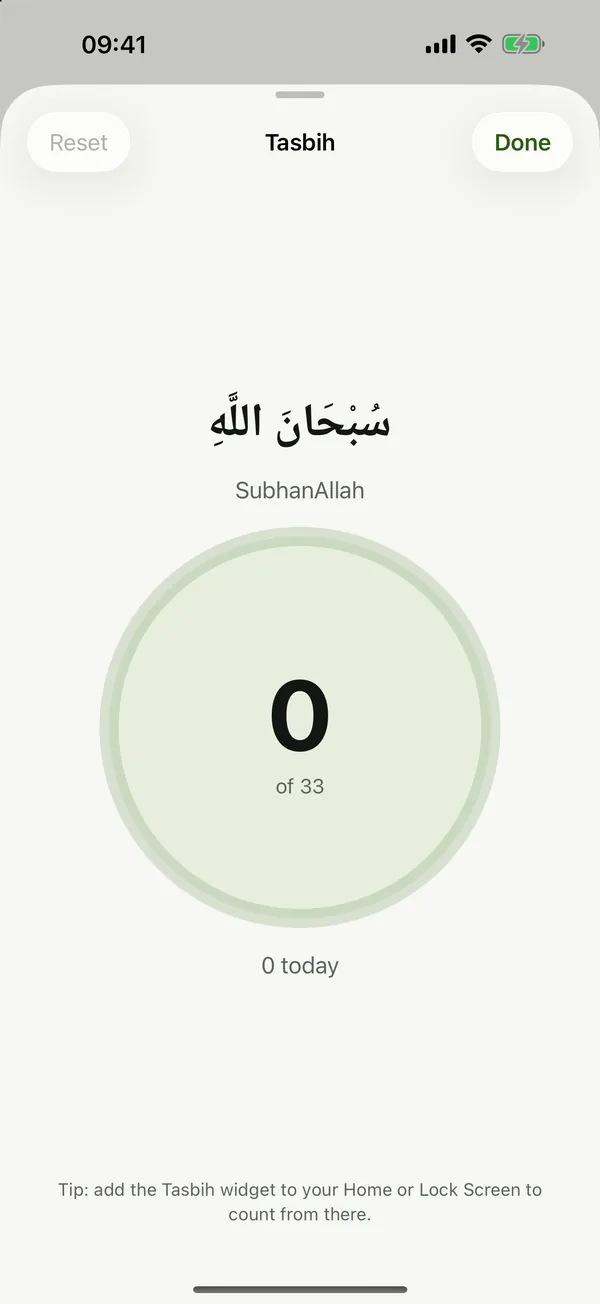
A tasbih that is always with you
Count 33 × SubhanAllah, Alhamdulillah and Allahu Akbar with a tap. The count starts fresh each day, and it is shared with the Tasbih widget, so you can keep counting right from your Home Screen or Lock Screen.
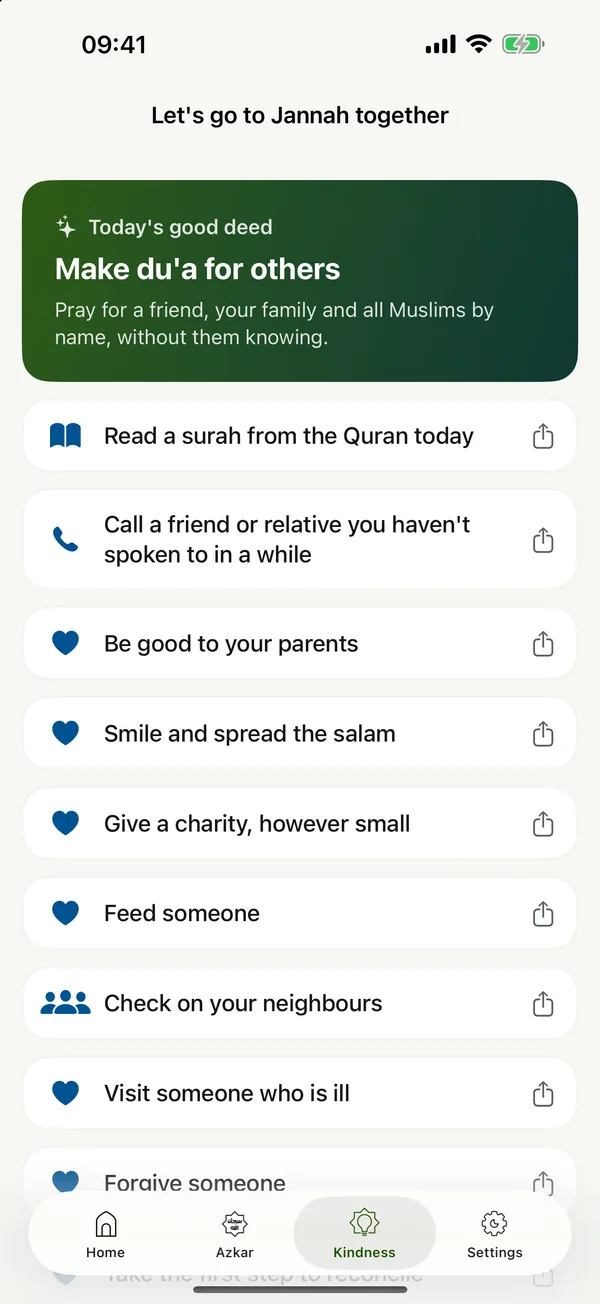
A good deed for every day
Remembering Allah shows in how we treat others. Each day the app suggests one good deed: make du’a for others, call someone you haven’t spoken to in a while, be good to your parents, read a surah.
- A random surah to read today
- A friend or relative to call, picked on your device
- Ideas for neighbours, the masjid, orphans and family
Dhikr on your Home Screen and Lock Screen.
Four widgets in several sizes, in Arabic and English, light and dark.
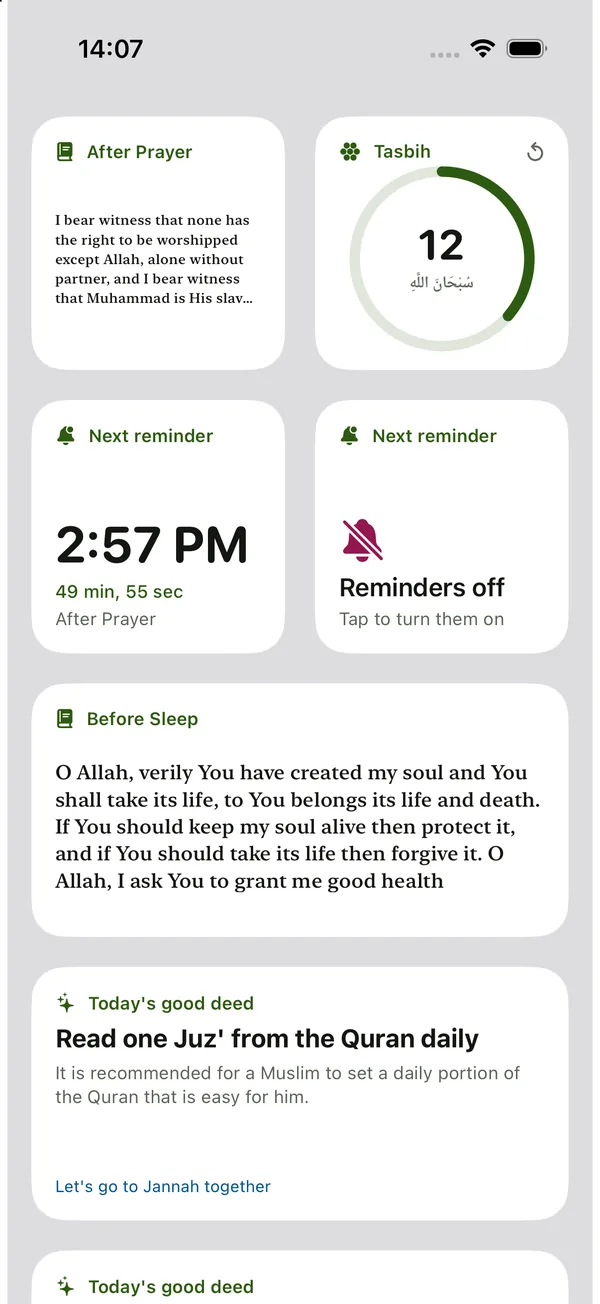
Dhikr of the Moment
The dhikr for this time of day, picked to fit the widget size.
Next Reminder
When your next reminder arrives, or that reminders are off.
Tasbih
Tap to count right on the widget. The count is shared with the app.
Kindness of the Day
Today’s good deed, one tap away from its details.
Let your living room remember too.
Ambient mode fills the TV with slowly moving images and the azkar of the moment, on a soft dark panel that stays readable over any picture. Press Play/Pause to hold a dhikr. The screen stays awake while it runs.
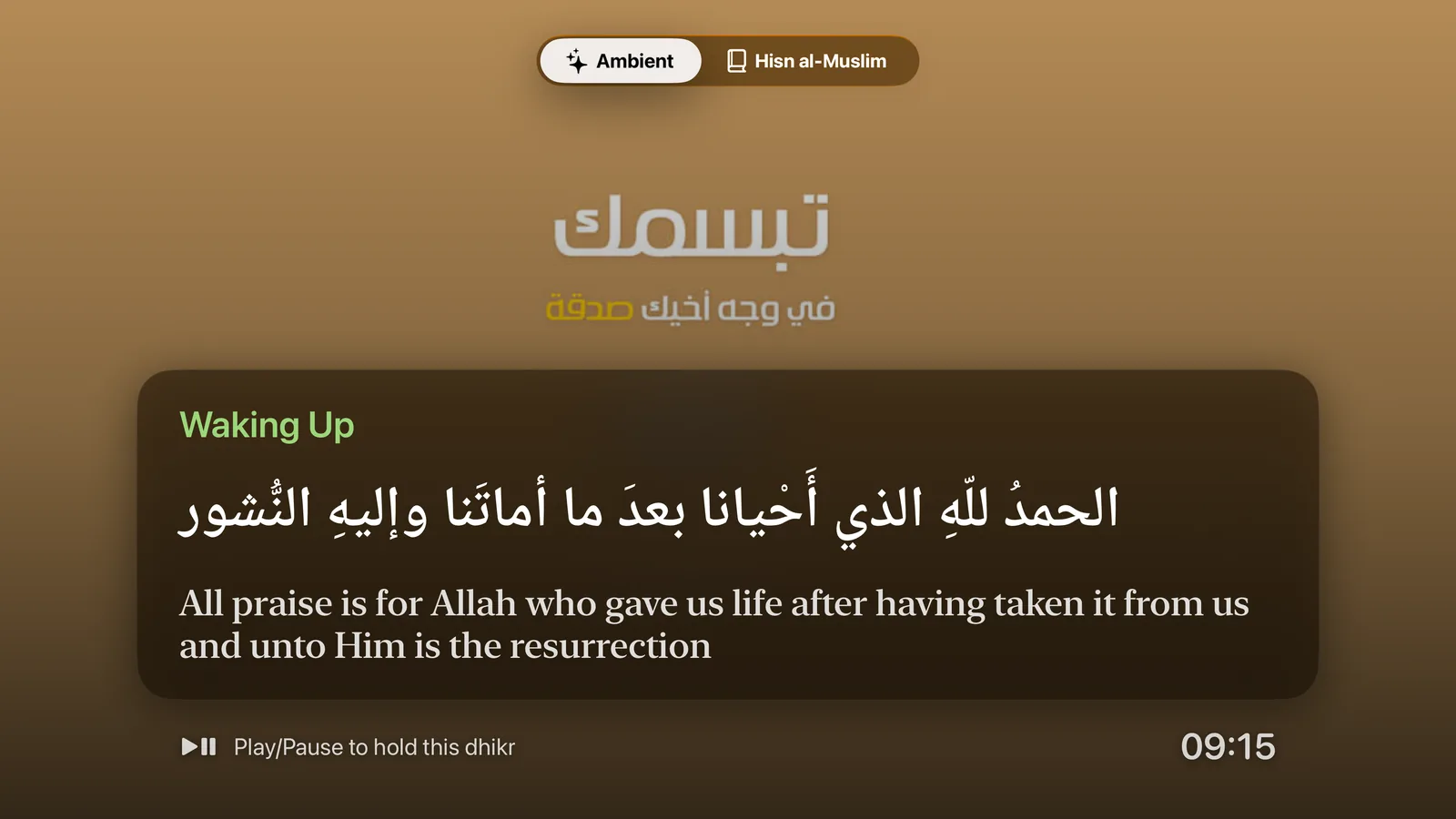
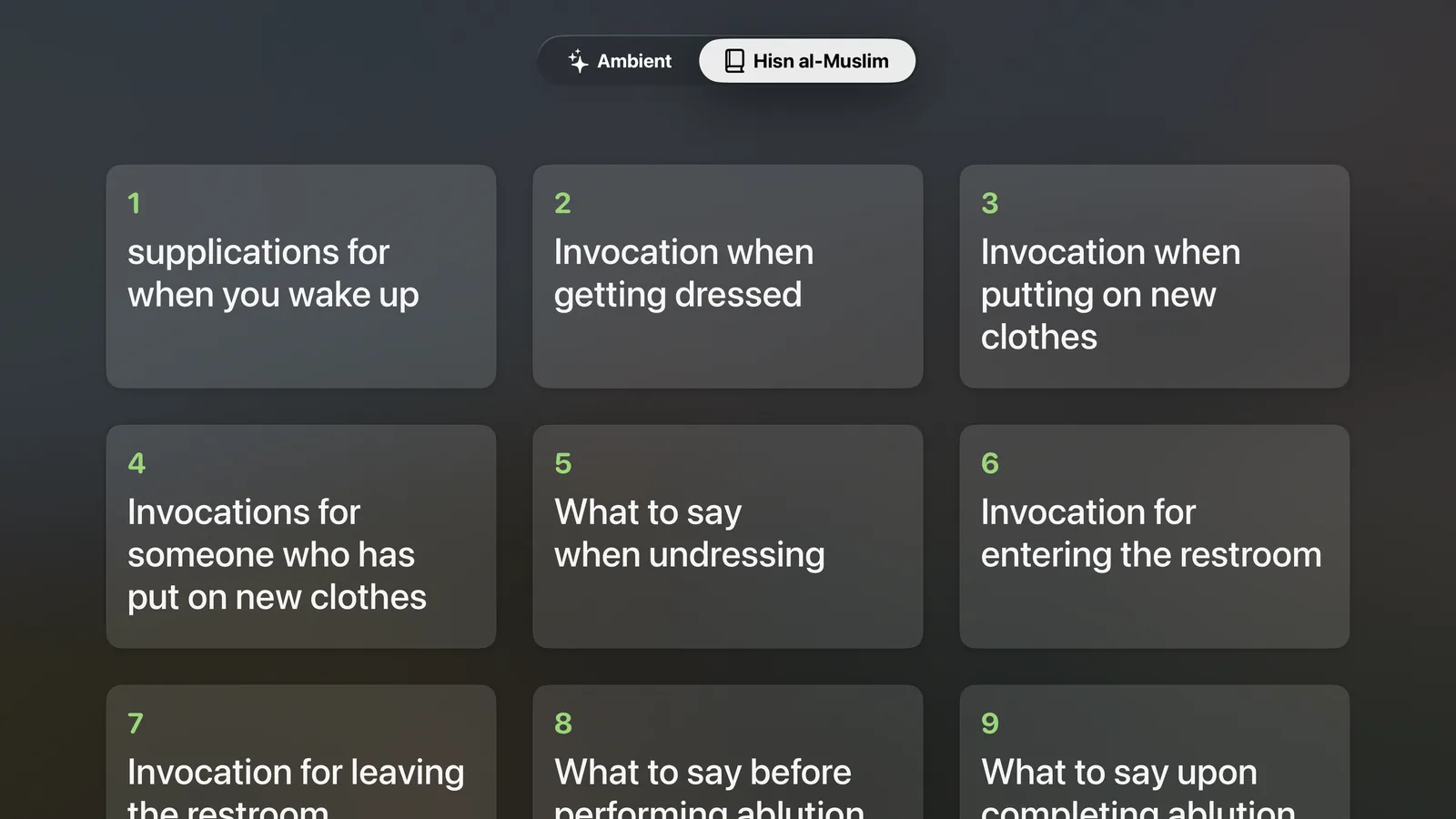
Free with the iPhone app. Download Al Zakirin from the App Store on your Apple TV.
Calm, private and for everyone.
عربي · English
The whole app in Arabic and English, with a right-to-left layout and beautiful Arabic type. Azkar are shown exactly as written.
Accessible
VoiceOver labels, an adjustable day dial, Dynamic Type, haptics, and a design that works in light and dark mode.
iPhone, iPad and TV
A two-column Home on iPad, widgets on iPhone, and one purchase for your Apple TV.
Data Not Collected
No accounts, no ads, no analytics, no tracking. Your settings, favorites and tasbih count stay on your device, and reminders are scheduled on your device.
Questions and answers
Do I need an account?
No. There are no accounts, no ads and no tracking. Your settings stay on your device.
Which devices are supported?
iPhone and iPad with iOS 17 or later, and Apple TV with tvOS 17 or later. One download covers all of them.
Does it work offline?
Reminders, the tasbih and the bundled azkar work offline. Hisn al-Muslim chapters are downloaded from hisnmuslim.com once and kept for offline reading.
Where do the azkar come from?
The reminders use well-known azkar for each time of day, bundled in the app. The Hisn al-Muslim chapters and recitations come from hisnmuslim.com. The text is shown exactly as written.
How do I add a widget?
Touch and hold an empty area of your Home Screen or Lock Screen, tap Edit, then Add Widget, and choose Al Zakirin.
My reminders don’t arrive. What can I do?
Make sure notifications are allowed for Al Zakirin in Settings, that reminders are on in the app, and that a Focus mode isn’t silencing them. More tips are on the support page.
Begin remembering today.
Free on the App Store for iPhone, iPad and Apple TV.